
What a goal is
A goal describes the result you want and the rules for getting there. It is not a script of exact messages. The agent works out the wording and the next step from what actually happens. The agent reads the goal every time it picks a Work Item back up: when the request arrives, when someone replies, and when a wake-up fires.Where to write it
- Go to Settings → Pipelines and open your pipeline.
- Open the Agent step.
- Write in the Goal box, or click the pencil icon beside Goal to write it with Ask Z.
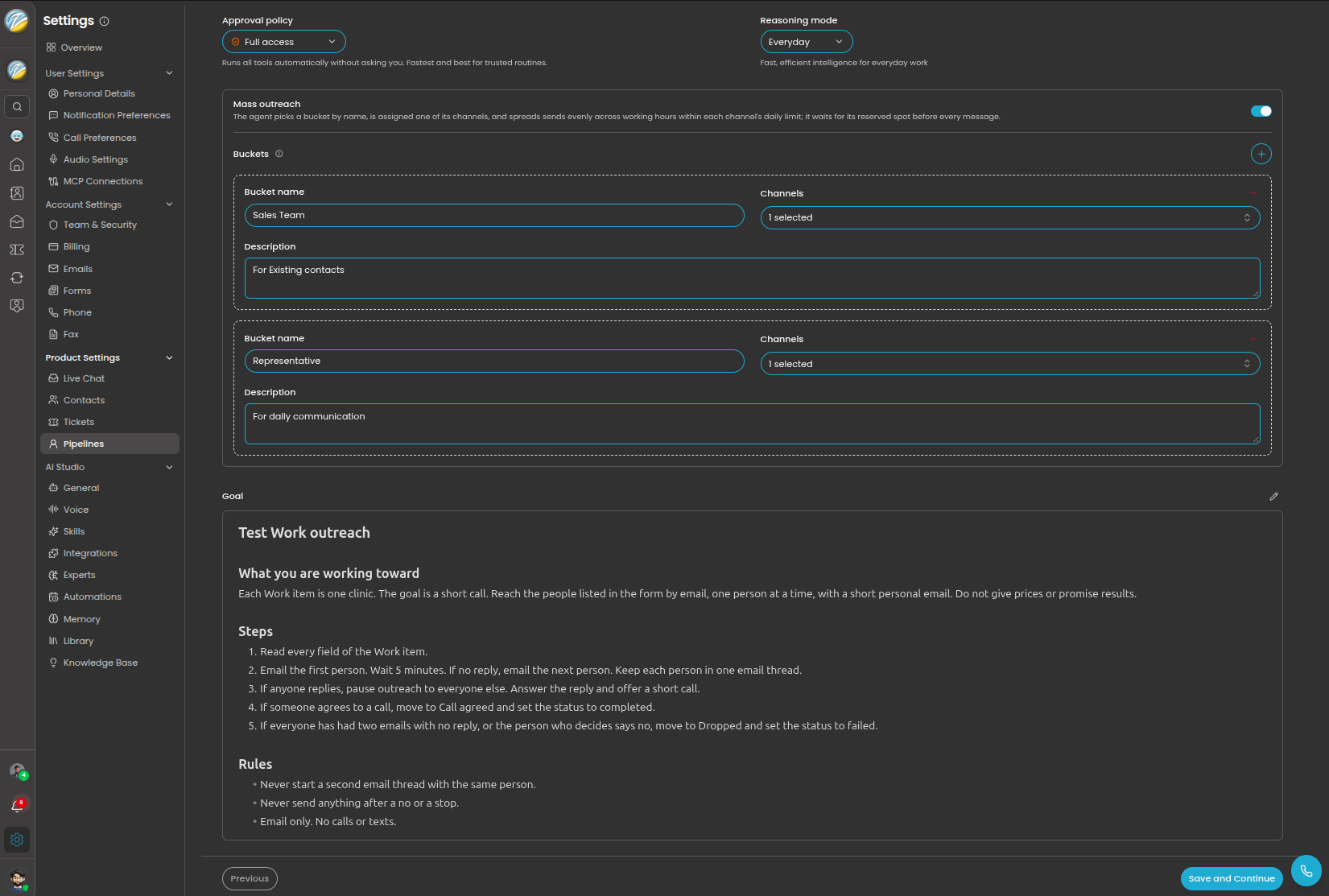
The Goal box is at the bottom of the Agent step, with the pencil icon on its right.
The fastest way: ask Ask Z
Ask Z knows what a Work goal needs and will ask you about anything missing. Click the pencil icon beside Goal, then describe the job. For example:The six questions every goal should answer
Whether you write the goal yourself or with Ask Z, check it against these.1
What happens first?
When a new Work Item arrives, what is the very first action? Usually: find or create the contact, then send the first message.
2
Who is contacted, and how?
Name each person or business involved, the channel to use (email, text, or call), which of your addresses or numbers to send from, and what to ask or tell them.
3
When does the agent follow up?
Say how long to wait, how many reminders to send, and what to do after the last one. “Follow up” on its own is not enough.
4
What moves the job to each stage?
Tie every stage to something that can be checked. “Move to Visit scheduled when both sides confirmed the same time.”
5
What counts as finished?
Describe Completed (the goal was met) and Failed (it could not be met, and why). Without this, jobs stay In progress forever.
6
When should it stop and ask a person?
List the decisions that belong to your team: costs above a limit, complaints, anything unusual.
Say which address or number to send from
A goal is plain text. There is no special block or code to add for senders. Tell the agent which of your connected email addresses or phone numbers to use, the same way you would tell a colleague:- You named a sender. The agent uses it.
- You did not name one. The agent picks a suitable connected address or number, based on who it is contacting and the conversation so far. If the choice is not clear, it asks your team.
- Mass outreach is on. The pipeline hands each Work Item a sender from a bucket, so you do not name one in the goal. To set up buckets, see Turn on mass outreach.
A complete example
This is a full goal for the maintenance pipeline used across this section. Copy the shape, then replace the details with your own. This pipeline does not use mass outreach, so the goal names its senders. With mass outreach on, leave out the “Send from” section.- The senders are named. The agent does not have to guess which address or number to use.
- Stage names match the pipeline exactly. The agent can only move a Work Item to a stage that exists.
- Every wait has a number. “24 hours”, “the next working day”, “two reminders”.
- Both endings are defined. The agent knows when to mark Completed and when to mark Failed.
- The human decisions are listed. The agent will not agree to a $900 repair on its own.
Vague versus clear
Change a goal safely
The agent rereads the goal each time it picks a Work Item back up. That means a change also affects Work Items that are already in progress, not only new ones. Before you change a live goal:- Check what is in progress. In Work, filter by the pipeline and the agent status In progress.
- Make one change at a time.
- Run a test request, as described in Set up your first Work pipeline.
Tips
- Write for a new colleague. If a new hire could not follow the goal without asking you questions, the agent cannot either.
- Put facts in the goal. Vendor names, price limits, office hours. The agent only knows what you tell it, plus what it can look up in your Z360 records.
- Use headings. Short sections such as “Follow-ups” and “Ask a teammate before” are easier for you to maintain and easier for the agent to follow.
- Keep one pipeline to one job. If the goal needs “if this is a sales request… but if it is a repair…”, you need two pipelines.
- Say what never to do. A short “Never” list prevents the mistakes you worry about most.